Best Stand Mixers of 2026 (Tested & Reviewed)

There is a moment every baker knows too well. You are elbow-deep in bread dough, arms aching, forehead sweating, and you start wondering quietly, desperately, why you are doing this to yourself when technology solved this problem over a hundred years ago.

That is not an exaggeration. In 1908, engineer Herbert Johnson of the Hobart Manufacturing Company began designing a machine that would handle the task of mixing bread dough after watching a baker exhaust himself doing it by hand. His observation became an invention. That invention became the stand mixer. And the stand mixer became one of the most enduring kitchen appliances in history.

If you are thinking about buying one or upgrading the one you already have, this guide covers everything you need to know. No fluff, no filler, just real information about real machines.

Top picks

  1. KitchenAid Artisan Series 5-Quart Tilt-Head Stand Mixer
  2. KitchenAid Pro 600
  3. Cuisinart Precision Master (SM-50)
  4. Aucma 6.5-Quart Stand Mixer
  5. Ooni Halo Pro Spiral Mixer
  6. Bosch Universal Plus

What to look for before buying Stand Mixers

Motor Power

Motor wattage matters, but it is not the whole story. Cheaper models may have plastic parts that break, and the motors cannot handle anything but the most occasional use. If you are serious about dough cookie, bread, pasta — you want a motor that is at least 500W. That said, wattage alone does not determine performance. The KitchenAid Artisan runs a 325W motor and handles heavy doughs effectively because of how efficiently it channels that power.

Bowl Capacity

Bowl capacity is one of the most crucial decisions you will make when choosing a stand mixer. Standard capacities range from 3.5 to 8 quarts, with 5-quart bowls hitting the sweet spot for most home bakers. In testing, 5-quart models consistently handled everything from a single batch of cookie dough to a standard bread recipe with ease. However, if you regularly double recipes or bake for large groups, consider a 6-quart or larger model.

Speed Settings

A stand mixer must have a good range of mixing speeds, as specific speeds at different mixing stages are vital and can significantly impact the quality of your final result. Many stand mixers, especially those on the cheaper end, fail to provide that range. You want gentle speeds for folding and higher speeds for whipping cream or meringue — not just a vague “slow” and “fast.”

Tilt-Head vs Bowl-Lift

These are the two main design styles. Tilt-head models let you tilt the head back for easy bowl access, great for home cooks adding ingredients mid-mix. Bowl-lift models use a lever to raise and lower the bowl. They are more stable under heavy loads, which makes them better for large batches and stiff doughs.

Build Quality

All-metal construction is a strong positive signal for long-term reliability. Budget models with plastic components require gentler handling and may not hold up to daily heavy use. If you bake occasionally, a budget mixer is fine. If you bake every week, metal construction is worth the extra investment.

The Best Stand Mixers: Honest Reviews

1. KitchenAid Artisan Series 5-Quart Tilt-Head Stand Mixer — Best Overall

If stand mixers had a Hall of Fame, the KitchenAid Artisan would be a first-ballot inductee.

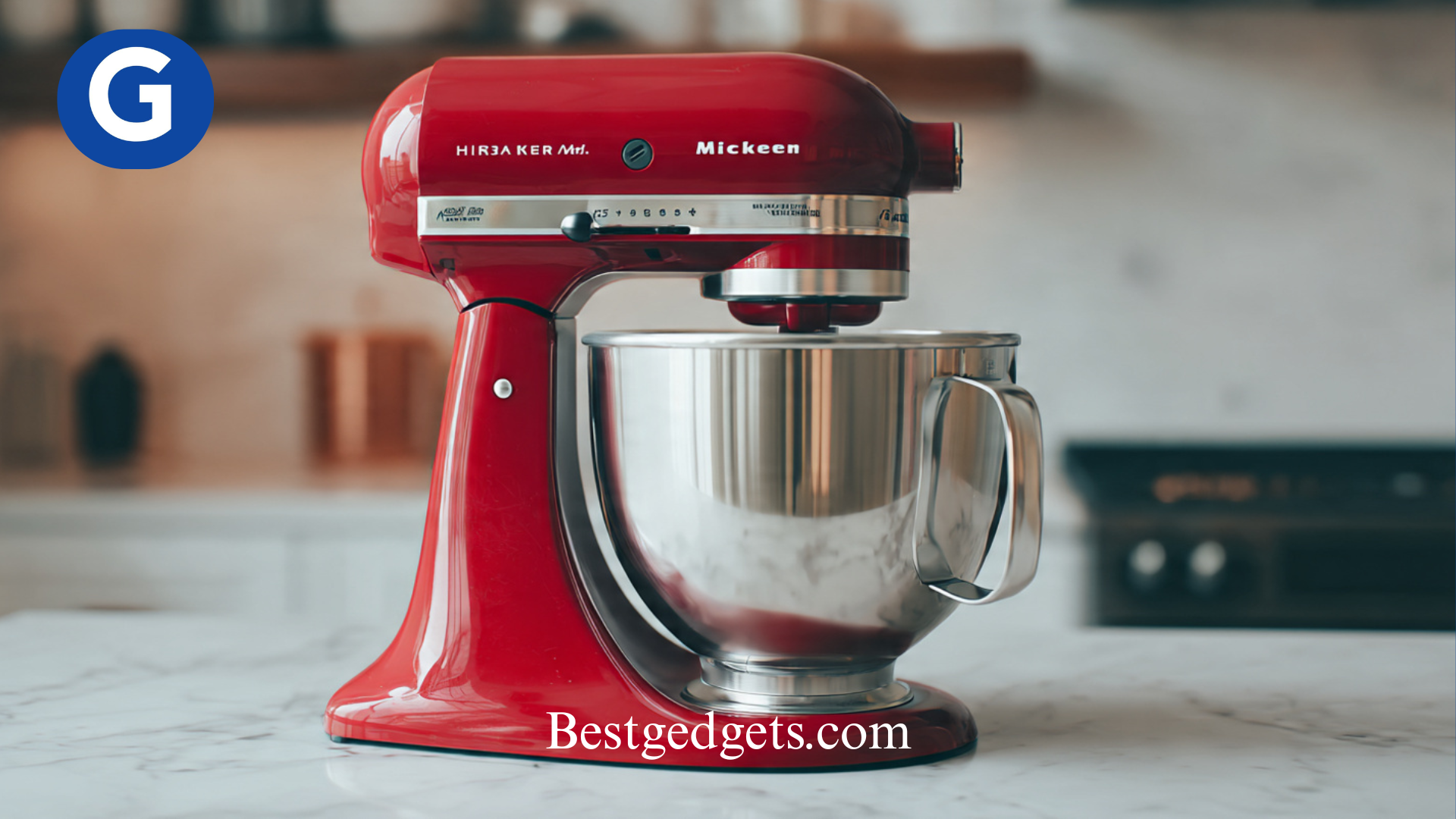
The KitchenAid 5-Quart Artisan Series Tilt-Head Stand Mixer delivered the best performance of the mixers tested by CNN Underscored, mixing, kneading, and whipping more effectively than the other mixers examined. The paddle easily creamed butter and sugar, then gently folded in chips and dried fruit.

Its 325-watt motor powers through tough mixtures effortlessly, ensuring consistent results every time. The tilt-head design allows for easy bowl access, enabling seamless addition of ingredients while mixing. The mixer includes 10-speed options, giving you precise control to knead, whip, or mix ingredients to perfection. With more than 20 available colors and a classic profile, you will also want to keep this mixer on display.

There is also an underappreciated quirk of the KitchenAid design: attachments from decades past remain compatible with current models, which is either excellent engineering or an appliance brand’s way of making you feel good about never throwing things away. Either way, it is genuinely useful.

Best for: Home bakers of all skill levels, gift buyers, and anyone who bakes regularly.

2. KitchenAid Pro 600 — Best for Heavy-Duty Baking

The KitchenAid Pro 600 is the powerhouse of the group. With a 575-watt motor and a bowl-lift design, it is built for bakers who mean business, especially those who tackle bread dough weekly.

This model can handle up to 8 loaves of bread or 13 dozen cookies in a single batch, according to KitchenAid’s specifications. The bowl-lift mechanism adds stability when working with stiff, heavy doughs. If your typical baking involves enriched brioche, whole wheat loaves, or large batches of pizza dough, this is the machine built for it.

Best for: Serious home bakers, frequent bread bakers, and larger households.

3. Cuisinart Precision Master (SM-50) — Best Mid-Range Option

Not everyone needs to spend at the premium KitchenAid price point, and the Cuisinart SM-50 proves that convincingly.

In testing by CNN Underscored, the Cuisinart SM-50 outperformed all of the cheaper mixers tested. It has a hefty 500-watt motor and a clean, streamlined design, making it an ideal choice for bakers who want strong performance without premium pricing. At 500 watts, it crosses the threshold that experts recommend for anyone serious about dough work.

Best for: Bakers who want solid performance without the highest price tag.

4. Aucma 6.5-Quart Stand Mixer — Best Budget Stand Mixer

The Aucma 6.5-Quart Stand Mixer, with its 660-watt motor, more powerful than the KitchenAid Artisan, has the muscle to whip cream, knead dough, and mix thick batters without straining. It is usually available under $150, making it a favorite for budget-conscious bakers.

The 6.5-quart bowl surpasses many premium mixers’ capacity, easily handling double batches. Six speed settings cover essential mixing techniques, and the complete accessory package eliminates additional purchases.

The honest trade-off: construction quality prioritizes affordability over decades-long durability, and plastic components require gentler handling than premium metal alternatives. This is a great starter mixer — not a forever machine for someone who bakes daily, but a reliable and capable option for everyone else.

Best for: Beginners, occasional bakers, budget-conscious households.

5. Ooni Halo Pro Spiral Mixer — Best for Bread Bakers

Released in 2025, the Ooni Halo Pro is one of the newest stand mixers on the market, bringing professional-grade spiral mixing technology to home bakers. It uses a dual-kneading spiral mixing system — a design typically found only in commercial bakeries — to produce bakery-quality dough at home. This mixer features a 7.3-quart bowl and 58 levels of precision speed control, allowing you to fine-tune the mixing process and achieve excellent gluten development.

The spiral dough hook, rotating bowl, and breaker bar work together to mix efficiently and evenly, while the breaker bar prevents dough from climbing up the hook. With a 650-watt motor and improved temperature management, the Ooni Halo Pro runs smoothly and consistently without overheating, a known issue with some mixers under sustained heavy load.

This is a specialist tool. If you bake bread regularly and want bakery-level results at home, the Halo Pro is genuinely exciting. If you mostly make cakes and frostings, the spiral design is not the right fit, it is optimized for dough, not batters.

Best for: Dedicated bread bakers, pizza enthusiasts, sourdough devotees.

6. Bosch Universal Plus — Best for Large-Batch Baking
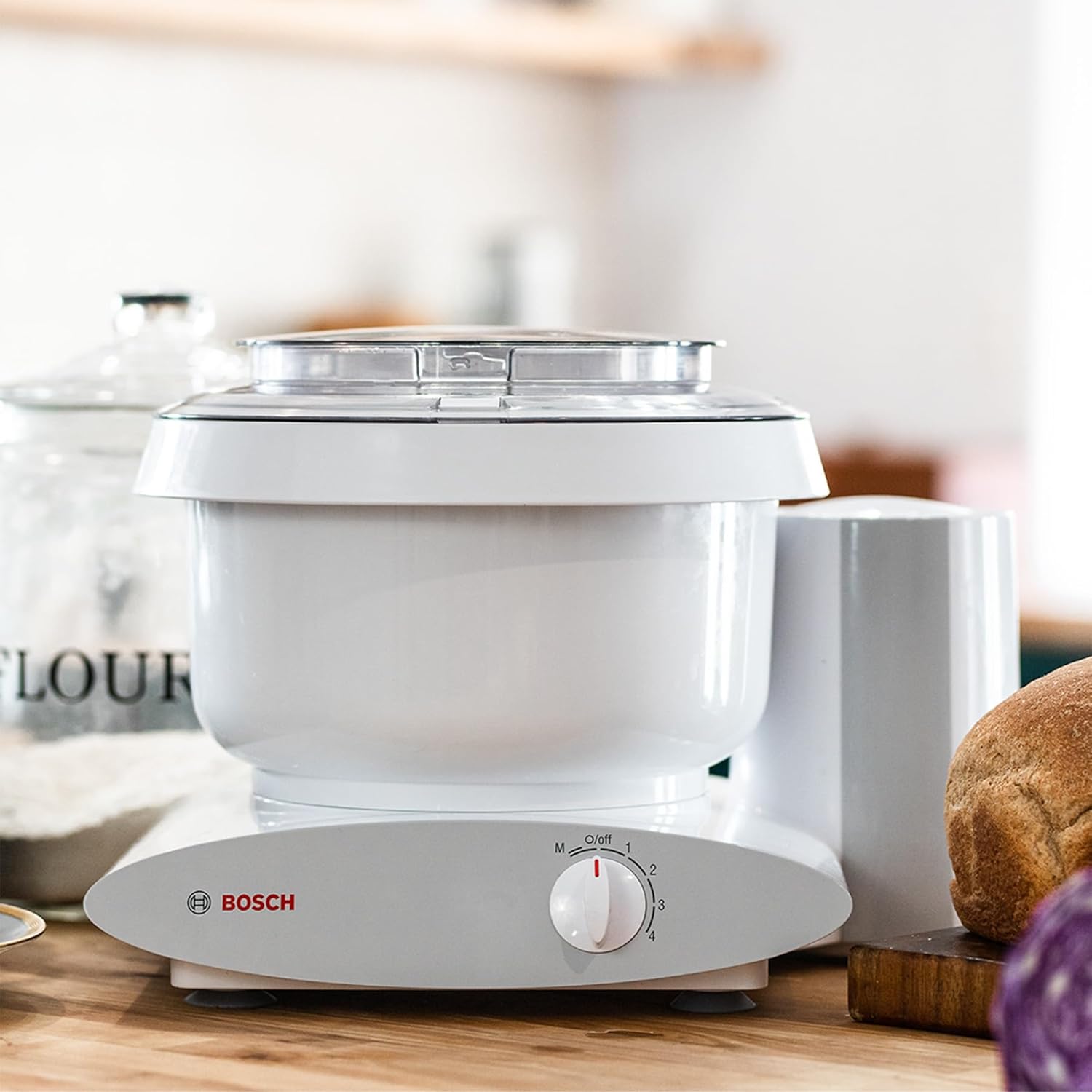
The Bosch Universal Plus is a beloved choice among bakers who need serious volume capacity. Its motor sits beneath the bowl rather than at the head, which gives it excellent stability under load. Home bakers who regularly make large batches of multiple loaves of bread, double or triple batches of cookies, often find that the Bosch handles them with less strain than comparably priced machines.

Bakers who want a quiet, durable, and long-lasting mixer with a strong motor and no overheating issues, and anyone who values easy cleanup, tend to make the Bosch their long-term choice.

Best for: High-volume home bakers, families who bake in large quantities.

Tilt-Head vs Bowl-Lift: Which Design Is Right for You?

This is one of the most common questions buyers ask, and the answer depends entirely on what you bake.

Tilt-head mixers are more user-friendly for everyday use. You can easily access the bowl, scrape down the sides, and add ingredients mid-mix. The KitchenAid Artisan is the best-known example. For most home bakers, this design covers everything comfortably.

Bowl-lift mixers are more stable under heavy loads. When you are working with a full bowl of stiff dough, the bowl-lift mechanism keeps everything locked and aligned. The trade-off is that accessing the bowl takes slightly more effort. The KitchenAid Pro 600 and the Bosch Universal Plus both use this style.

If your baking is varied cakes, cookies, bread, and meringue, a tilt-head is the more versatile day-to-day choice. If bread and heavy doughs dominate your routine, a bowl-lift is worth considering.

Why a Stand Mixer Is Worth the Investment

Before getting into specific models, it helps to understand what you are actually buying.

Stand mixers are not just a baker’s tool. With the right attachments, they are fantastic for making homemade pasta, mashing potatoes, and even grinding meat. Chef Zac Young, a longtime judge on Food Network, put it well when he said stand mixers are “the ultimate tool for multitasking” and also, entertainingly, “jewelry for your kitchen.”

That last part sounds frivolous, but it is actually practical. A stand mixer that lives on your counter gets used. One stuffed in a cabinet collects dust. Good design encourages good habits.

For avid bakers and home chefs, a stand mixer can exponentially increase the capabilities and efficiency of the kitchen. From homemade pizza dough to pasta, cookies, frosting, and ice cream, stand mixers handle the kind of work that leaves your arms sore for two days if you do it by hand.

The financial logic holds up, too. According to CNBC, a quality KitchenAid mixer can outlive you, with the device having an average lifespan often measured in decades. When you spread that cost over years of use, even a premium mixer starts to look like a bargain, which is a sentence that sounds like appliance-industry propaganda but is genuinely true.

How Stand Mixers Actually Work

Understanding the mechanics behind a stand mixer helps you make a smarter purchase.

Most stand mixers use what is called planetary mixing action. KitchenAid mixers employ a “planetary” action to do their mixing. As a beater spins, it also rotates around within the bowl, which ensures more contact with the ingredients. The end result is that ingredients get more fully mixed than they would using alternative mechanisms.

Think of it like the Earth spinning on its own axis while orbiting the Sun, except the result is better cookie dough rather than the seasons.

The simultaneous but reversed spinning motions allow the device to not only stir your batter in circles the way you could do with your hands, but also to fold and aerate the mixture as it goes. The result is a faster, more efficient, and more effective mixing motion.

Some newer models, like the Ooni Halo Pro, use a spiral mixing system instead a design typically found in commercial bakeries. Both approaches work well, but they serve slightly different purposes, which we will cover below.

Stand Mixer Attachments: Where the Real Value Hides

One underrated aspect of a good stand mixer is the attachment ecosystem that comes with it or that you can add over time.

Most mixers include three core attachments: a flat beater (for cake batter and cookies), a dough hook (for bread and pizza dough), and a wire whisk (for cream and egg whites). These cover the majority of baking tasks most home cooks encounter.

Going further, a wide range of additional attachments allows you to grind meat, roll pasta, spiralize vegetables, and even make ice cream. KitchenAid’s attachment hub, which has remained compatible across model generations, opens up a remarkably wide range of tasks.

One practical storage tip from food blogger Bianca Fernandez: stand mixers are heavy and best stored on a stable, accessible surface rather than a high shelf. Reaching for a heavy appliance on a step ladder is a genuine safety risk, not just an inconvenience.

Common Mistakes to Avoid When Buying a Stand Mixer

Buying too small. A 3.5-quart bowl sounds fine until you try to make a full batch of cookie dough and the dough starts climbing the sides. For most households, a 5-quart bowl is the sensible starting point.

Ignoring build quality for price. A cheap mixer that breaks after two years is not a bargain. All-metal construction is a reliable indicator of long-term durability.

Buying for tasks you will not do. A professional-grade spiral mixer is extraordinary for bread — but if you mostly make birthday cakes and frosting, you are paying for a feature you will rarely use.

Overlooking the attachment ecosystem. If you plan to expand what you do with your mixer over time, check which attachments are available for the model you are considering before you buy. A cheaper model that locks you into limited attachments can end up being more restrictive than you expect.

Quick Comparison: Best Stand Mixers at a Glance

MixerBowl SizeMotorBest For
KitchenAid Artisan5 quart325WBest overall, everyday baking
KitchenAid Pro 6006 quart575WHeavy-duty, large batches
Cuisinart SM-505.5 quart500WMid-range value
Aucma 6.5-Qt6.5 quart660WBudget-friendly option
Ooni Halo Pro7.3 quart650WDedicated bread bakers
Bosch Universal Plus6.5 quart800WHigh-volume home baking

Final Thoughts

A stand mixer is one of the few kitchen appliances that genuinely changes how you cook and bake. It saves time, reduces effort, and opens up recipes that would be impractical to attempt by hand. It also has a hundred-year track record of reliability which, in the world of kitchen gadgets, is an almost unheard-of thing.

For most home bakers, the KitchenAid Artisan remains the benchmark. Its combination of performance, versatility, longevity, and design is hard to beat at its price point. If budget is the primary concern, the Aucma 6.5-Quart offers surprising value. If bread is your passion, the Ooni Halo Pro brings professional spiral-mixing technology into a home kitchen for the first time.

Whatever you choose, you are making a decision you are unlikely to regret. A good stand mixer, treated well, will outlast a lot of the other gadgets in your kitchen and probably keep making excellent bread long after those gadgets are forgotten.
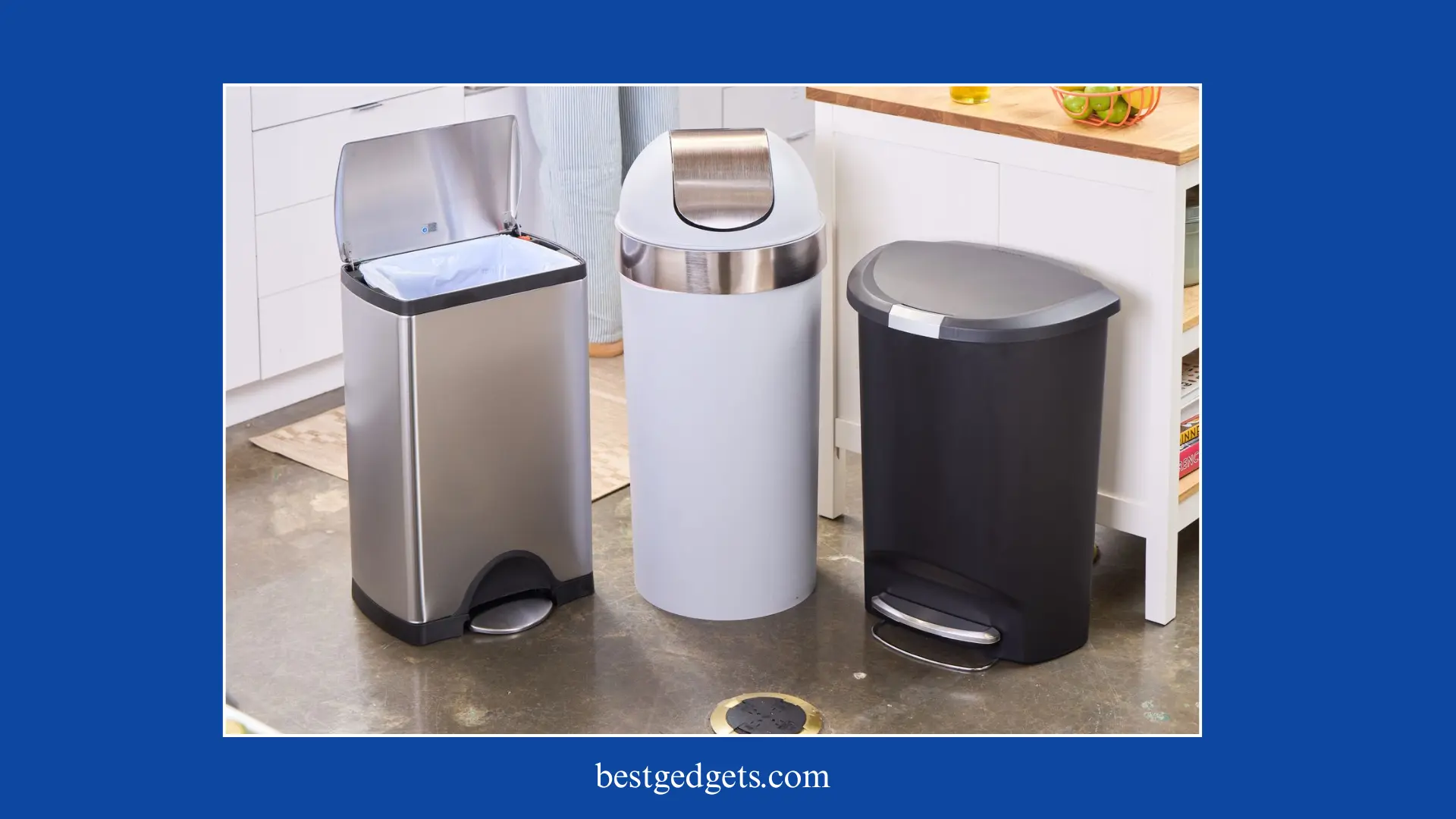

 

Best Kitchen Trash Cans in 2026: Ranked, Tested & Reviewed

You open your kitchen cabinet, and the smell hits you like a wall. Your trash bag has slipped deep into the can again. You reach in, gag a little, and make a mental note to finally buy a decent trash can. Sound familiar? You’re not alone. Millions of Americans put up with leaky bags, foul odors, and flimsy lids every single day and the fix is simpler than you think.

The Best Trash Cans of 2026

The right trash can doesn’t just hold your garbage. It locks in odors, keeps bags in place, looks great in your kitchen, and lasts for years without cracking or rusting. We researched 40 models, bought 10 of the top-ranked ones, and tested them all side by side in real homes. We stuffed them with warm sauerkraut, smeared chocolate sauce on the exteriors, knocked them over, and stomped on the foot pedals hundreds of times. In this guide, we rank the best trash cans of 2026 based on odor containment, ease of use, bag performance, cleaning, durability, and looks.

Our Top 5 Best Kitchen Trash Cans at a Glance

5 Best Kitchen Trash Cans Reviewed

Overall Score: 85/100

If you want a trash can that does everything well without emptying your wallet, the Amazon Basics Rectangle Soft-Close is your answer. This is our top pick and it wasn’t even close.

The stainless steel exterior wipes down with almost zero streaking. Bags wrap around the removable plastic liner and tuck into the body of the can, so they never slip down into the abyss. We left warm sauerkraut inside this can for over 24 hours in a closed room. Not a single whiff of odor escaped. That kind of odor containment is remarkable at any price but this can runs around $80, which is nearly half the cost of some of its closest competitors.

The soft-close lid lowers silently and seals tight every time. The foot pedal is responsive and smooth. The removable plastic liner makes it incredibly easy to clean the inside if a bag ever breaks or leaks. We gave it perfect 9 out of 10 scores in odor containment, bag performance, ease of cleaning, and durability.

The only downside? There’s no built-in bag holder or dispenser. If that’s a dealbreaker, look at the Glad 13 Gallon Stainless instead. But for most American households, this can is the clear winner.

Pros: Locks in odors, easy to clean, anti-bag-slip liner, beautiful stainless look, great price Cons: No built-in bag dispenser Capacity: 50L (13 gallons) | Price: ~$80

Overall Score: 84/100

If recycling is part of your household routine, this is the can you’ve been looking for. The Home Zone Living Dual Compartment gives you two separate sections  one for trash, one for recycling  each with its own foot pedal and inner bucket. You never have to choose between convenience and sustainability again.

The lids close softly and quietly. The inner buckets lift straight out, so even an overstuffed bag isn’t a wrestling match. You just pull the whole bucket out and carry it to the bin. It comes loaded with 20 scented bags and two odor filters right out of the box, and the owner’s manual even includes illustrated instructions for replacing filters and bags.

We struggled to find real flaws with this one. It scored a perfect 9 in both ease of use and odor containment. The handles on each side make carrying it a breeze. It looks sleek and modern in any kitchen.

The trade-offs are the price and the footprint. At $170, it’s one of the pricier options we tested. And with its dual compartments, it takes up more counter or floor space. If you have a small apartment or tight kitchen, it might not fit. But for families or households serious about recycling, it’s worth every dollar.

Pros: Dual trash and recycling bins, silent soft-close lids, great odor control, carrying handles, inner buckets lift out Cons: Expensive, large footprint Capacity: 60L | Price: ~$170

Overall Score: 82/100

The Rubbermaid Elite Stainless Steel Step-On is a workhorse. It scored 9 out of 10 in both bag placement and ease of cleaning tied for the best in those categories across our entire test fleet.

Like the Amazon Basics, it features a removable interior liner that makes bag changes effortless. The stainless steel exterior resists streaks and cleans up with a quick wipe. The foot pedal is sturdy and well-positioned. Odor containment is strong, earning an 8 out of 10 in our sauerkraut test.

The main knock against it is the price at $140, it costs significantly more than the Amazon Basics for performance that’s very similar. It also doesn’t include side handles, which is a bit of an oversight at that price point. That said, if you want a reliable, great-looking stainless can that will hold up to years of daily use, the Rubbermaid Elite delivers without drama.

Pros: Easy to clean, excellent bag performance, sleek stainless look, solid odor control Cons: No handles, pricey for what you get Capacity: 45L | Price: ~$140

Overall Score: 80/100

Every single person who visited our testers’ homes during testing asked about this trash can. The Simplehuman Rectangular Step Can is the most beautiful garbage can we have ever tested and yes, we just called a trash can beautiful.

The silver lip fully covers the bag, so no plastic is peeking out from the top. The stainless finish is polished and elegant. It looks less like a trash can and more like a piece of kitchen furniture. It also earned a perfect 9 out of 10 for odor containment, matching our top performers.

The built-in bag dispenser is genuinely clever. Bags load into a compartment in the body of the can and feed right in when you need one. The foot pedal runs almost the full width of the front panel and sits low to the ground, so it’s easy to hit even in the dark.

But here’s the catch: the bag dispenser only works with Simplehuman’s proprietary bags, which cost more than standard supermarket trash bags. The lid also dents more easily than we’d like at this price point keep it away from shelves or heavy objects overhead. And at $180, it’s the most expensive single-compartment can we tested.

If you want to elevate your kitchen’s look and money is no object, this is your can. For everyone else, the Amazon Basics gives you the same odor performance for less than half the price.

Pros: Stunning design, perfect odor containment, built-in bag dispenser, large foot pedal Cons: Requires proprietary bags, lid dents easily, very expensive Capacity: 45L | Price: ~$180

Overall Score: 69/100

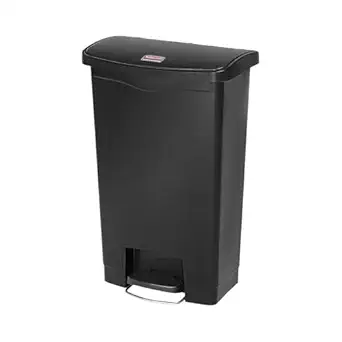
Not everyone wants to spend $80 or more on a trash can. If you’re looking for something solid that won’t break the bank, the Rubbermaid Premier Series Step-On is our top budget recommendation at just $56.

It covers all the basics well. The foot pedal spans almost the entire base of the can for easy access. The soft-close lid works smoothly and can lock in the fully open position  perfect when you’re cleaning the kitchen and need both hands free. It can also lock shut to keep curious kids and pets out. The LinerLock system holds the bag firmly in place so it doesn’t slip.

The charcoal-colored plastic design is modern and clean-looking. The removable inner bucket makes cleaning the inside straightforward.

The downsides are real, though. This is a plastic can, so it absorbs odors over time rather than sealing them in. Odor containment scored a 6 out of 10 decent, but far behind the stainless steel options. It’s also light, meaning dogs and kids can knock it over without much effort. And there are no handles, which makes carrying it outside for a deep clean awkward.

For a solo apartment or a guest bathroom, it’s a smart, affordable choice. For a busy family kitchen, you’ll want to invest a little more.

Pros: Affordable, soft-close lid that locks open or shut, LinerLock bag system, easy to clean Cons: Limited odor control, no handles, light enough to tip over Capacity: 50L | Price: ~$56

How We Tested: Our Methodology

We didn’t just look at these cans we put them through the wringer.

For odor containment, we heated sauerkraut and placed it inside each sealed can in a closed room for an hour, then returned to measure how much smell had escaped. Top performers went 24 hours with no detectable odor. For cleaning, we smeared chocolate sauce all over the exteriors and simulated a broken bag inside. We measured how fast each can returned to mint condition. For durability, we knocked them over repeatedly, bent the lids, scratched the exteriors, and stomped on foot pedals hundreds of times. We also tested bag performance by installing and removing dozens of trash bags to see which systems were fastest and most secure.

We scored every can across six weighted categories: ease of use (20%), odor containment (20%), bag placement and removal (20%), ease of cleaning (15%), durability (15%), and aesthetics (10%).

How to Choose the Best Kitchen Trash Cans for Your Home

What Capacity Do You Need?

For single people or couples, a 40 to 50 liter can is plenty. Larger families that generate more daily waste should look at 50 to 60 liter models to avoid making constant trips to the outside bin. Always check the physical dimensions too make sure the can actually fits where you plan to put it.

Which Opening Method Is Right for You?

Foot pedals are the most popular choice for good reason. They’re hands-free, hygienic, and work great in busy kitchens. Touchless sensor cans like the iTouchless are even more convenient but rely on batteries or a power adapter. Open-top cans are the simplest but offer zero odor control. Swing-top lids fall somewhere in between but get dirty fast and never seal well.

Stainless Steel vs. Plastic: Does It Matter?

Yes, it matters a lot. Stainless steel looks better, lasts longer, cleans more easily, and most importantly doesn’t absorb odors the way plastic does. If your trash can lives in a visible spot in your kitchen, stainless is almost always the better choice. Plastic makes more sense for utility areas, under-sink use, or tight budgets.

Is Odor Control a Priority?

If your kitchen is open-plan or you cook a lot of fish, meat, or pungent foods, odor control should be your number one priority. Look for a can with a full-sealing lid  step-on and motion-sensor models with tight-fitting lids perform best. Swing tops and open tops are odor disasters in open kitchens.

Final Verdict

After months of testing, the Amazon Basics Rectangle Soft-Close remains our top recommendation for most American households. It’s affordable, it locks in odors like a champ, it’s easy to clean, and it looks great. For families who recycle, the Home Zone Living 16 Gallon Dual is worth every penny. And if budget is the main concern, the Rubbermaid Premier Series gets the job done without drama.

A good trash can is one of those small upgrades that quietly improves your daily life in ways you didn’t expect. Stop wrestling with a bad one. Upgrade today your kitchen (and your nose) will thank you.

Best Mice for Under 200: Real Picks That Actually Deliver

Best-Mice-for-Under-200

Choosing the right mouse sounds simple until you actually start looking. Suddenly, you’re comparing sensors, DPI, polling rates, ergonomics, and battery life like you’re buying a sports car.

Don’t worry. This guide breaks everything down in a clean, practical, and honest way. No hype. No fake claims. Just real insights to help you pick Best Mice for Under 200.

Why $200 Is Actually a Sweet Spot

Here’s a fact most people don’t realize: the performance gap between a $200 mouse and a $400 mouse is mostly bragging rights. The real leap in quality happens between $30 and $150. Beyond that, you’re paying for marginal gains and brand prestige.

According to Tom’s Hardware and PC Gamer two of the most trusted names in hardware testing the best wireless gaming mice are clustered firmly in the $130 to $170 range. That means a $200 budget gives you full access to top-tier performance, with room to grab a mouse pad too.

So whether you’re a competitive FPS player, an MMO raider, or someone who just wants a mouse that doesn’t feel like it came free with a printer, you’re in the right place.

What to Actually Look for in a Mouse

Before we get into the picks, here’s a quick sanity check. These are the things that genuinely matter.

Sensor quality is the most important spec. A good optical sensor tracks accurately without jitter, smoothing, or acceleration. The sensors in this price range from Razer’s Focus Pro to Logitech’s HERO 2 are all excellent.

Weight matters more than most people admit. For fast-paced competitive gaming, lighter is usually better. Under 70 grams is the sweet spot for FPS. Around 80 to 95 grams works fine for general use. Over 100 grams starts to feel like a workout.

Grip style shapes your choice more than any spec. Palm grip players generally need larger, ergonomic shapes. Claw and fingertip players tend to do better with smaller, lighter shells. If you’ve never thought about your grip style before, watch your hand position next time you reach for your mouse. Your fingers will tell you the truth.

Wired vs. wireless is less of a debate now than it used to be. Modern wireless mice at this price point, using 2.4GHz technology, have latency that’s effectively indistinguishable from wired in real gaming conditions.

Polling rate is often overhyped. According to multiple hardware experts and review outlets, 1000Hz is the practical sweet spot for most gamers. 8K polling has uses in very high FPS setups but adds CPU overhead and isn’t a magic aim upgrade.

With that foundation in place, let’s get to the mice.

Best Mice for Under 200 list

1. Razer Viper V2 Pro — Best Overall

Price: Around $130–$150

amazon link

If you want one of the best wireless mice ever made and you don’t want to overthink it, start here.

The Viper V2 Pro weighs just 58 grams, which is remarkable for a wireless mouse with no holes drilled through the shell. Its predecessor, the Viper Ultimate, weighed 74 grams so Razer essentially cut 23% of the weight without going the honeycomb route that some companies use. The white version comes in at 59 grams due to the colorway.

The sensor is Razer’s Focus Pro 30K optical, built in partnership with PixArt. It delivers up to 99.8% resolution accuracy and works flawlessly across multiple surface types including glass surfaces at least 2mm thick. Tracking is clean and consistent, with no angle snapping or jitter at reasonable sensitivities.

Battery life is rated at 80 hours at 1000Hz polling. In practice, you’re looking at well over a week of regular daily use before reaching for the USB-C cable which, thankfully, is now standard rather than the old proprietary port on the Viper Ultimate.

The mouse uses Razer’s Gen-3 optical switches, rated for up to 90 million clicks. The click feel is crisp and audible. It connects via Razer’s HyperSpeed 2.4GHz wireless, which is among the lowest-latency wireless implementations on the market.

There are trade-offs. Razer removed RGB lighting entirely to save weight, and the right-side buttons are gone, making it right-handed only despite its symmetrical shape. For pure competitive gaming, those aren’t losses. They’re the point.

Best for: FPS players, claw grip, fingertip grip, competitive gaming

Read more : Best Gaming Headphones Under $100 in 2026

2. Logitech G Pro X Superlight 2 — Best for Esports

Price: Around $130–$160

amazon link

This mouse has one job: get out of your way and let you play. It does that job almost perfectly.

The G Pro X Superlight 2 weighs 60 grams slightly heavier than the Viper V2 Pro, but still well within ultra-lightweight territory. The shape is identical to the original Superlight, which is a decision Logitech made deliberately. The original shape was already excellent for claw and fingertip grips, so changing it would’ve been change for change’s sake.

What did change is meaningful. The Superlight 2 carries Logitech’s HERO 2 sensor with a maximum of 44,000 DPI and tracking up to 888 IPS. It supports up to 8kHz polling in its updated form and features LIGHTFORCE hybrid optical-mechanical switches, rated for 70 million clicks. Battery life sits at 95 hours.

The mouse is available in black, white, and pink, and uses USB-C charging a long-overdue upgrade from the original Super light’s micro-USB situation. It also supports Logitech’s Power Play wireless charging mat if you want your mouse perpetually topped up.

There’s no RGB, no DPI button on the body, and no unnecessary extras. That’s the entire philosophy in one sentence. Tom’s Hardware describes it as purpose-built for esports, and that’s accurate. If you want a clean, no-compromise competitive mouse, the Superlight 2 is one of the most consistently recommended mice in this category.

Best for: Esports, FPS, claw and fingertip grip, smaller hands

3. Razer Death Adder V3 Pro — Best Ergonomic Wireless Mouse

Price: Around $120–$150

amazon link

The DeathAdder is one of gaming’s most enduring shapes for a reason. If you have medium to large hands and prefer palm or claw grip, the ergonomic right-hand design of the V3 Pro is deeply comfortable during long sessions.

At 63 grams, it’s light for an ergonomic wireless mouse. It uses the same Focus Pro 30K sensor as the Viper V2 Pro 30,000 DPI, 750 IPS tracking, 70G acceleration paired with Hyper Speed wireless. Battery life runs up to 90 hours at 1000Hz polling, which puts it on par with the competition.

The Gen-3 optical switches are consistent and responsive, and the mouse glides easily on 100% PTFE feet. Razer Synapse handles customization for those who want to tune DPI stages, liftoff distance, and button mapping.

The DeathAdder shape has decades of refinement behind it, and the V3 Pro represents the version that finally gets the weight down without compromising the comfortable hump and side contouring that made the original legendary. If you spend four or more hours at a desk on any given day, your wrist will thank you for considering this one.

Best for: Palm grip, large hands, long sessions, productivity and gaming combined

4. Logitech G502 X Plus — Best Feature-Packed Mouse

Price: Around $150–$160

amazon link

Some people don’t want a stripped-down sports car. They want something with all the features, a comfortable seat, and a scroll wheel that can coast freely at high speed. That’s the G502 X Plus.

This is Logitech’s flagship feature mouse, carrying the HERO 25K sensor, 13 programmable buttons, LIGHTFORCE hybrid switches, and LIGHTSYNC RGB lighting. It’s heavier than the ultralight mice on this list sitting closer to 89 grams but that weight gives it a planted, controlled feel that some gamers actively prefer.

The dual-mode scroll wheel is a standout feature. A single click switches it between the standard notched scroll and a smooth, inertia-free free-spinning mode. If you’re in a game with large maps, or you’re scrolling through long documents, that free-spin wheel earns its spot within the first ten minutes of use.

The G502 X Plus connects via Logitech’s Lightspeed wireless, which operates at 2.4GHz and provides excellent latency for competitive play. Battery life is rated at 130 hours with RGB off and around 45 hours with RGB on which is realistic given how much is going on inside this mouse.

Reviewed.com describes it as a do-everything mouse, and that’s fair. It isn’t the best choice for pure competitive FPS gaming where weight matters. But for someone who jumps between gaming, creative work, and productivity? It covers all of it.

Best for: MMO, MOBA, productivity, palm grip, feature hunters

5. Razer Viper V3 Pro — Best Wireless FPS Mouse Right Now

Price: Around $150–$180

amazon link

While the V2 Pro remains excellent value, the V3 Pro brought meaningful upgrades and slots in at the top of the wireless FPS pile.

At 54 grams, it’s lighter than its predecessor. It supports 8kHz polling the same performance tier as the competition’s flagship offerings. The sensor is Razer’s Focus Pro 35K optical, with Gen-3 optical switches rated for up to 90 million clicks. Battery life is rated at 95 hours.

The symmetrical shape works for a range of hand sizes, and the design remains clean with no unnecessary extras. RTINGS.com has consistently ranked the Viper V3 Pro as a top overall FPS pick based on tracking accuracy, click latency, and sensor consistency.

This is the mouse for someone who wants the absolute latest from Razer’s competitive lineup without quite crossing the $200 mark.

Best for: FPS, competitive gaming, low-latency wireless, fingertip and claw grip

6. Razer Viper V4 Pro — Best for Future-Proofing

Price: $159.99

amazon link

Announced in March 2026, the V4 Pro is the newest addition to Razer’s competitive lineup and the most technically advanced mouse on this list.

It weighs 49 grams (black) making it one of the lightest solid-shell wireless mice available. The Focus Pro 50K Gen-3 sensor pushes tracking to 930 IPS and 90G acceleration. Click latency is rated at 0.204ms, and motion latency at 0.36ms. Battery life sits at 180 hours at 1000Hz polling.

The Gen-4 optical switches are rated for up to 100 million clicks. HyperSpeed Wireless Gen-2 supports 8kHz polling in both wired and wireless mode. A new Frame Sync feature aligns sensor data with polling intervals to reduce processing delays.

It’s the most loaded spec sheet on this list, and it comes in comfortably under $200. The only reason it’s not higher on the list is recency it hasn’t had the extended user testing time of the other picks. But on paper and in early testing coverage, it’s a serious option.

Best for: Competitive FPS, anyone who wants the latest tech, claw and fingertip grip

How to Choose Between These Mice

Here’s the honest version of the decision process.

If you play fast-paced FPS games and want to maximize competitive performance with no extras, the Logitech G Pro X Superlight 2 or Razer Viper V2 Pro are where to start. Both are proven, excellent, and frequently used by professional esports players.

If you have large hands and spend long sessions at your desk, the Razer DeathAdder V3 Pro will serve you better than any flat symmetric mouse. Comfort over six hours matters more than saving four grams.

If you play MMOs, MOBAs, or use your mouse heavily for work alongside gaming, the Logitech G502 X Plus is the right choice. The programmable buttons, free-spin scroll wheel, and solid sensor make it a genuine multi-tool.

If you want the newest and lightest option with top-tier specs, the Razer Viper V4 Pro at $159.99 is hard to argue with on paper.

A Note on DPI (And Why It’s Mostly Marketing)

Most gaming content online treats higher DPI as a sign of a better mouse. It isn’t.

According to hardware testing and competitive gaming communities, the practical sweet spot for most players is somewhere between 800 and 1600 DPI, adjusted with in-game sensitivity settings. Even pro players running high-resolution monitors rarely push past 3200 DPI in actual gameplay.

Every mouse on this list has more DPI than any human can usefully deploy. What matters is sensor accuracy at your chosen sensitivity, not the maximum number printed in the spec sheet.

Final Thoughts

The under $200 mouse market is genuinely excellent right now. There’s no bad pick on this list only different tools for different hands and use cases. The core advice is simple: match the mouse to your grip, your game type, and the feel you actually want at your desk.

Don’t buy a 58-gram competition mouse if you play MMOs for six hours a night and want side buttons everywhere. Don’t buy a 89-gram feature-rich mouse if you need to flick across a 360Hz monitor in CS2.

Pick the right tool, and get back to actually playing.

Best Gaming Headphones Under $100 in 2026

Best-Gaming-Headphones-Under-100

Let’s be honest not everyone can drop $200 or $300 on a gaming headset. And honestly? You shouldn’t have to. The good news is that the budget gaming headphone market in 2026 has come a long, long way. Brands like HyperX, Razer, SteelSeries, and Corsair have been quietly packing premium-level features into headsets that cost under $100, and the difference between these and their expensive siblings is getting harder to spot with every passing year.

Whether you’re grinding ranked matches in Call of Duty, exploring open-world RPGs, or hopping into late-night squad sessions with your friends, having a solid headset makes a massive difference. Good audio lets you hear footsteps before your enemies do. A clear mic means your teammates actually understand you. Comfortable ear cups mean you’re not ripping the headset off your head after two hours.

This guide is for anyone who wants real gaming headphone quality without the premium price tag. We’ve pulled together the best gaming Headphones under $100 available right now tested across different platforms, play styles, and needs and broken everything down so you can make the right call for your setup.

What to Look for in a Budget Gaming Headset

Before we jump into the picks, it’s worth knowing what actually matters when shopping for affordable gaming headphones. A lot of headsets in this price range look great on a spec sheet but fall apart in real-world use. Here’s what to keep an eye on:

Sound Quality and Driver Size: Most headsets in this range use 40mm to 50mm drivers. Bigger isn’t always better, but 50mm drivers tend to push more bass and volume. What matters more is how the drivers are tuned. You want clear mids for voice audio, punchy lows for explosions and immersion, and crisp highs so you can pick up subtle in-game sound cues.

Microphone Clarity: If you’re gaming with a team, mic quality is non-negotiable. Look for headsets with a noise-cancelling or cardioid boom mic. Retractable or flip-to-mute mics are a huge quality-of-life bonus.

Comfort for Long Sessions: This is the one people overlook until it’s too late. Memory foam ear cushions, adjustable headbands, and lightweight builds (ideally under 300g) make a real difference during four-hour gaming sessions. Over-ear designs generally offer better comfort and passive noise isolation than on-ear styles.

Wired vs Wireless: Wired headsets are more reliable and usually sound better at the same price point. But wireless options have gotten remarkably good under $100. If you hate cable clutter or game from your couch, wireless is worth the small premium — just check battery life before buying.

Platform Compatibility: Make sure the headset works with your setup. Some headsets use USB dongles that only work on PC or PlayStation. Others use a universal 3.5mm jack that plugs into anything. Always double-check before ordering.

The Best Gaming Headphones Under $100 in 2026

1. HyperX Cloud II — Best Overall Budget Gaming Headset

Price: ~$69 | Wired | PC, PS5, Xbox, Switch

Amazon link

If there’s one headset that consistently tops every budget gaming headphone list year after year, it’s the HyperX Cloud II. And in 2026, it still earns that spot.

The Cloud II features 53mm drivers that deliver rich, warm audio — it’s the kind of sound that makes game soundtracks genuinely enjoyable and gunshots feel satisfying rather than flat. The closed-back design does a solid job of blocking out external noise, which matters if you share a space with noisy roommates or family members.

The HyperX Cloud II delivers rich, warm audio that works particularly well for gaming, with a comfortable fit and a timeless design that complements any setup. The detachable noise-cancelling mic is flexible and picks up voice clearly, and the 3.5mm connection means it works on literally everything — PC, PlayStation, Xbox, Nintendo Switch, and even your phone.

Build quality is another strong point. The aluminum frame feels sturdy, the leatherette ear cups are soft, and the overall weight is kept low enough that extended sessions don’t become uncomfortable. This headset has been battle-tested by millions of gamers across a decade, and for good reason. It just works.

2. Razer Kraken X — Best Lightweight Gaming Headset Under $50

Price: ~$40 | Wired | PC, PS5, Xbox, Switch, Mobile

Amazon link

If you want something that won’t weigh your head down during marathon sessions, the Razer Kraken X is hard to beat. It weighs in at just 250g, making it one of the lightest gaming headsets you can find at this price.

For under $50, the Razer Kraken X delivers some of the best comfort and sound quality of all the affordable wired headsets available. The 7.1 virtual surround sound gives your audio a 3D depth that helps with positional awareness — knowing whether that footstep is to your left or right can genuinely change the outcome of a match.

The oval-shaped ear cushions are a nice touch. They’re angled to sit more naturally around your ears, which reduces fatigue over long sessions. The cardioid mic is decent for the price — it won’t replace a dedicated streaming mic, but for in-game voice chat it gets the job done cleanly.

The Kraken design is visually pleasing and feels more premium than the price suggests, which is always a bonus. If you’re a student, a casual gamer, or just getting started with PC or console gaming, this is one of the smartest $40 purchases you can make.

Best for: Budget-conscious gamers and those who want an ultra-light headset for daily use.

3. SteelSeries Arctis Nova 1 – Best Gaming Headphones Under $100

Price: ~$60 | Wired | PC, PS5, Xbox, Switch, Mobile

Amazon link

SteelSeries has always had a reputation for excellent sound, and the Arctis Nova 1 carries that legacy into the budget category without cutting corners where it matters most. The neodymium drivers are tuned to deliver balanced, accurate audio — not overly bass-heavy or artificially bright, just honest, clear sound.

The Arctis line is known for award-winning sound, and the Nova 1 carries that quality forward, serving gamers well across multiple scenarios. The ClearCast bidirectional microphone is particularly impressive at this price — it’s the same mic design used in SteelSeries’ much more expensive models. Background noise gets filtered out naturally, and your voice comes through with real clarity.

The suspension headband design is genuinely comfortable. Instead of hard plastic pressing against your head, an elastic strap bears the weight, which means you can game for hours without getting headband soreness. The ear cups use a ski-goggle fabric that keeps your ears cool and dry — a nice change from leatherette designs that trap heat.

If you care about sound quality above all else and want a headset that plays well with Windows Sonic or Dolby Atmos spatial audio, the Arctis Nova 1 should be near the top of your list.

Best for: Gamers who prioritize audio accuracy, mic quality, and all-day comfort.

Read more : Best Pestle Mortar of 2026

4. HyperX Cloud Stinger — Best Budget Pick for Noise Isolation

Price: ~$49 | Wired | PC, PS5, Xbox, Switch

Amazon link

The Cloud Stinger has been one of HyperX’s most popular entry-level gaming headsets for years, and the updated version in 2026 still offers exceptional value for its price.

The DTS Headphone:X spatial audio gives the Cloud Stinger super clear sound with a 3D feel — you can hear every detail, like footsteps behind you or the reloading of a gun. The memory foam ear cushions are comfortable enough for all-day wear, and the swivel-to-mute microphone is a practical touch for quick silencing mid-game.

The closed-back design does a good job of isolating external sounds, making this a solid pick if you’re in a busy environment. It’s not the fanciest headset on this list, but it punches well above its price in terms of pure gaming utility. The build feels solid, the fit is secure, and the audio performance is more than enough for casual to competitive gaming.

Best for: Beginners and budget gamers who want solid noise isolation and immersive spatial audio.

5. Corsair HS65 Surround — Best Mid-Range Pick Under $80

Price: ~$79 | Wired & USB | PC, PS5, Xbox, Switch, Mobile

Amazon link

Corsair has quietly built one of the best mid-range gaming headset lines on the market, and the HS65 Surround is a perfect example of what you get when a company actually listens to its community.

The HS65 uses Corsair’s custom-tuned 50mm drivers alongside Dolby Audio 7.1 surround sound through USB, giving you an expansive soundstage that makes competitive games feel genuinely immersive. The microphone is clear and well-placed, with decent noise rejection that handles casual background noise without much issue.

What sets the HS65 apart is its build. The headband uses lightweight aluminum, and the memory foam ear pads feel noticeably more premium than headsets at this price point. It also works both wired via 3.5mm for console use and via USB for full surround sound on PC — giving you genuine flexibility depending on your setup.

The iCUE software integration is a bonus for PC gamers who want to fine-tune their EQ settings, though the headset sounds great straight out of the box even without it.

Best for: PC and console gamers who want quality surround sound, premium build feel, and a flexible connection setup.

6. ASTRO Gaming A20 Wireless Gen 2 — Best Wireless Headset Under $100

Price: ~$80–$100 | Wireless | PC, PS5, Xbox

Buy from amazon

Finding a wireless gaming headset under $100 that actually performs well used to be a challenge. The ASTRO A20 Gen 2 makes that search a lot easier.

With a 50-foot wireless range, you can move freely without losing connection, and the 15+ hour battery life keeps you gaming without interruptions. The flip-to-mute microphone makes it easy to control voice chat, while the on-device audio balancing helps you dial in exactly the right mix between game audio and team chat. Its lightweight design and soft cloth ear cushions provide all-day comfort.

The 40mm drivers deliver solid sound quality not quite at the level of the wired HyperX Cloud II, but strong enough for immersive gaming. The two-platform compatibility is worth highlighting: one version works on PC and PlayStation, and another targets Xbox. Make sure you grab the right one for your setup.

For anyone who games from a couch or just hates being tethered to their PC, the A20 Gen 2 offers one of the best wireless-for-the-price experiences you’ll find in 2026.

Best for: Console and PC gamers who want wireless freedom without spending over $100.

7. EPOS H3 — Best for Audiophile Sound on a Budget

Price: ~$79 | Wired | PC, PS5, Xbox, Switch, Mobile

Buy from amazon

EPOS (formerly Sennheiser’s gaming division) brings serious audio pedigree to the under-$100 gaming headset market, and the H3 is the result.

The sound signature of the EPOS H3 is exceptionally balanced and detailed, with crystal-clear mids and highs. This reveals subtle in-game audio cues — like a reload click, a spell charge, or distant environmental sounds — that other headsets often mask. If you’re someone who’s moved from high-quality audiophile headphones to gaming headsets and been disappointed by the jump in quality, the H3 will feel like coming home.

The build is clean and understated — no gaudy RGB, no neon colors, just a refined design that looks as comfortable in a streaming setup as it does in a casual gaming corner. The boom mic delivers clear voice quality, and the closed-back design provides passive noise isolation without feeling suffocating.

The H3 is a great fit for casual to moderate gamers, students, and those who prioritize a lightweight, versatile headset for gaming, calls, and music across multiple devices.

Best for: Gamers who want audiophile-grade sound and a premium feel on a strict budget.

Wired vs Wireless: Which Should You Choose Under $100?

This is one of the most common questions for budget gaming headset shoppers, and the honest answer is: it depends on how you game.

Go wired if: You game at a desk, you want the absolute best audio quality for your dollar, or you never want to worry about charging a headset before a session. Wired headsets are plug-and-play, lag-free, and typically offer better audio fidelity at the same price point.

Go wireless if: You game from a couch, you hate cable clutter, or you share a setup with others and need the flexibility to move around. Wireless technology has improved dramatically — the HyperX Cloud Flight, for instance, offers excellent wireless range with minimal to no latency, proving that budget wireless headsets can hold their own in 2026.

For most competitive gamers, wired is still the safer bet. For casual and console gamers, a good wireless headset under $100 is absolutely viable now.

Tips to Get the Most Out of Your Gaming Headset

Buying the right headset is only half the battle. Here’s how to make sure you’re getting the best possible experience from your purchase:

Use spatial audio software. Windows Sonic is built into Windows 10 and 11 for free, and Dolby Atmos for Headphones is available for a one-time purchase. Brand-specific software suites like SteelSeries Sonar, Razer THX Spatial, and HyperX NGENUITY offer tailored audio profiles optimized for each headset. Always check if your headset has companion software — it often makes a noticeable difference.

Adjust your EQ settings. Most gaming headsets sound great straight out of the box, but tweaking the equalizer even slightly — boosting the mids for clearer voice audio or reducing harsh treble frequencies — can transform your listening experience.

Take care of your headset. Wipe down ear cushions regularly with a mild disinfectant. Coil cables loosely to avoid internal wire damage. Store your headset somewhere dry and out of direct sunlight. These simple habits can double the lifespan of a budget headset.

Check your mic settings. A common issue with budget headsets is poor mic quality that’s actually just the result of wrong settings. Open your audio settings, check your input levels, and make sure your mic isn’t picking up too much room noise. Many headsets sound dramatically better once the input gain is properly set.

Quick Comparison: Best Gaming Headphones Under $100

HeadsetPriceConnectionBest For
HyperX Cloud II~$69WiredBest overall
Razer Kraken X~$40WiredLightest & most affordable
SteelSeries Arctis Nova 1~$60WiredBest audio quality
HyperX Cloud Stinger~$49WiredNoise isolation
Corsair HS65 Surround~$79Wired/USBBest mid-range
ASTRO A20 Wireless Gen 2~$80–$100WirelessBest wireless
EPOS H3~$79WiredAudiophile sound

Final Thoughts: The Right Gaming Headset Is Out There for Every Budget

The days of “you get what you pay for” in the budget gaming headset market are mostly behind us. In 2026, spending under $100 on a gaming headset doesn’t mean settling for bad audio, an uncomfortable fit, or a mic that sounds like you’re talking through a tin can.

Whether you’re a competitive FPS player who needs precision audio, a casual gamer looking for comfort during long RPG sessions, or someone who just wants a solid headset for multiplayer games with friends there’s something on this list that’s made for you.

Our top overall recommendation is still the HyperX Cloud II for its unbeatable combination of sound quality, comfort, build quality, and platform compatibility at around $69. But honestly, you can’t go wrong with any headset on this list. They all offer genuine value and will serve you well for years to come.

Now stop reading and go game — your ears deserve an upgrade.

The Best Pan for Crepes—My Real-Life Picks After Way Too Many Sunday Flips

Best Pan for Crepes

Best pan for crepes is the secret ingredient behind perfectly thin, delicate, and evenly cooked crepes that look and taste like they came straight from a French café. While the batter and technique matter, the pan you choose plays an even bigger role in how smoothly your crepes turn out. A good crepe pan ensures even heat distribution, easy spreading, and effortless flipping without tearing. Whether you’re making sweet breakfast treats or savory wraps, the right pan can completely transform your cooking experience. In this guide, you’ll discover what makes a crepe pan ideal and how to choose the best one for your needs.

Why Most Pans Fail at Crepes (and Why the Best Pan for Crepes Changes Everything)

Crepes demand super-even heat so the batter sets fast without scorching spots. They need low-ish sides for easy swirling, and they absolutely have to release without drama. Use the wrong pan? You end up scraping shreds off the bottom while your batter sits there mocking you.

I remember my first “serious” attempt: used my mom’s old deep kadhai. Batter puddled in the middle, edges stayed gooey. Total mess. Switched to proper low-sided pans and suddenly life got better. Serious Eats tested a ton recently (they flipped 100+ crepes) and found carbon steel gives that authentic crisp lacy edge, while tough nonstick makes beginners look like pros.

What Actually Matters When Hunting for the Best Pan for Crepes

  • Size: 9–11 inches is the sweet spot for home cooks.
  • Material: Nonstick for forgiveness; carbon steel for flavor and longevity if you’re willing to season it.
  • Weight: Light enough to tilt one-handed.
  • Heat: Even distribution—no hot spots.
  • Extras: Some come with a little spreader (rateau). Nice bonus.

My Current Favorites for the Best Pan for Crepes

After burning through batteries and patience, here’s what I’d actually buy or recommend right now:

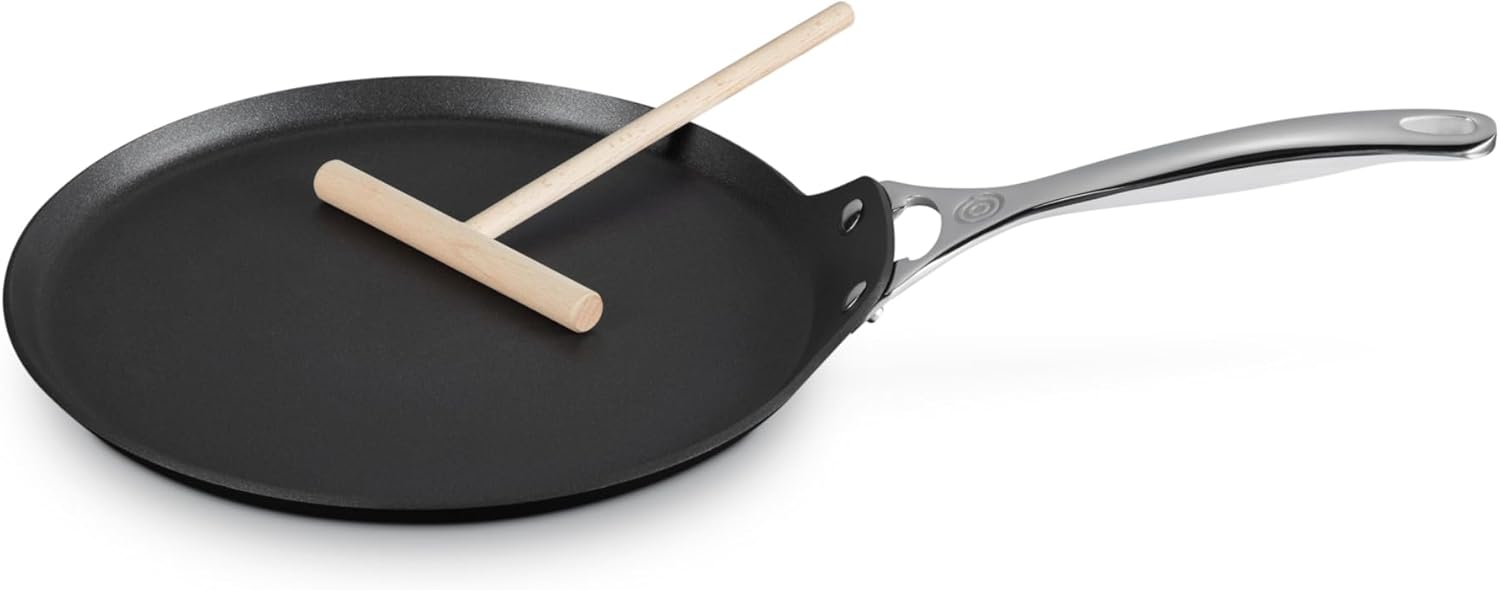
  1. Le Creuset Toughened Nonstick PRO Crepe Pan – My everyday winner, hands down. (Still the best pan for crepes overall in my kitchen.)
  2. De Buyer Blue Steel Carbon Steel Crepe Pan – If you want French-cafe crisp.
  3. Cuisinart Chef’s Classic Nonstick Crepe Pan—Cheap, cheerful, and surprisingly solid.
  4. OXO Carbon Steel (pre-seasoned version)
  5. Sensarte Nonstick (Amazon bestseller, granite-style coating)
  6. ESLITE LIFE (similar budget nonstick)
  7. Lodge Cast Iron (for heavy-duty fans)

In-Depth: The Pans I Actually Use or Trust

Le Creuset Toughened Nonstick PRO (~$120–130)

This is the one I reach for most weekends. Wide cooking surface, slick triple-reinforced coating that just won’t quit, and it came with a little wooden spreader. Heat spreads beautifully—no pale centers or burnt rims. I’ve made sweet Nutella ones for the kids and savory ham-cheese galettes for guests. Flips are effortless. Downside? It’s not cheap, and if you crank the heat too high too often, nonstick eventually fades (though Le Creuset’s is tougher than most). Serious Eats loved it for nonstick ease in their latest round.

amazon link here

De Buyer Blue Steel (~$40–50)


If you’re chasing that real-deal French texture—crisp edges, subtle nuttiness from seasoning—this is it. Lightweight, seasons up fast, gets naturally nonstick over time. Serious Eats called it their top carbon steel pick after flipping a mountain of crepes. My only gripe: first few uses stuck until I built the patina (rub oil, heat, repeat—classic). Now? Butter slides around like it’s greased. Metal tools are fine. No dishwasher though.


Amazon: https://www.amazon.com/Buyer-Carbon-Steel-Crepe-Tortilla/dp/B0019N4ZHQ

read more : Best Stainless Steel Electric Frying Pan


Cuisinart Chef’s Classic (~$30–40)


Budget hero. Hard-anodized base for even heat, lightweight, nonstick that actually works. Food Network gave it best value in recent tests. I keep one as backup—great for quick batches when I’m half-asleep. Smaller than some, so crepes come out a touch smaller, but who cares? Cleanup is a breeze.
Amazon: https://www.amazon.com/Cuisinart-623-24-Classic-Nonstick-Hard-Anodized/dp/B000ND3G00

OXO Carbon Steel (~$50–70)


Pre-seasoned out of the box, induction-ready, removable silicone handle grip. Browns evenly, improves with use. A bit heavier than De Buyer, but a solid middle-ground choice.

Sensarte & ESLITE LIFE (~$20–35)


Amazon darlings—granite-looking nonstick, induction compatible, stay-cool handles. Good for beginners who want cheap and cheerful. The coating holds up okay, but not forever like Le Creuset. I grabbed one during a sale; it does the job for dosas too

Lodge Cast Iron (~$50–100)


Heavy, retains heat like crazy, great browning. Pros love it for longevity. Cons: arm workout every flip, handle gets hot. Not my daily driver.

Little Extras That Actually Help

Grab a wooden rateau spreader (cheap on Amazon), thin offset spatula, and maybe a batter dispenser. Makes swirling way less messy. Pro tip: rest batter 30 mins—huge difference.

FAQ—Stuff People Always Ask Me

What’s truly the best pan for crepes if I’m new?

Nonstick like Cuisinart or Le Creuset. Less swearing involved.

Nonstick or carbon steel—which wins?

Nonstick for zero drama; carbon steel for better taste once seasoned. I flip-flop depending on mood

Do I really need a dedicated crepe pan?

Yes—low sides and right size matter. Regular skillets frustrate.

How do you season carbon steel?

Thin oil layer, heat till smoking, cool, repeat a few times. Builds magic nonstick

Electric crepe makers worth it?

If you hate stove timing, sure. But pans give more control (and prettier results).

Bottom Line

If I could only keep one best pan for crepes, it’d still be the Le Creuset Toughened Nonstick PRO. Reliable, pretty, and makes me look good. But if you’re patient and want that pro-level edge, De Buyer steals my heart. Start with medium heat and a thin batter layer, and don’t overthink the first flip—it gets easier.

Ready to ditch the torn crepes? Peek at the Le Creuset here: Amazon link. Tell me your worst crepe fail below—I bet mine’s worse. 😄